
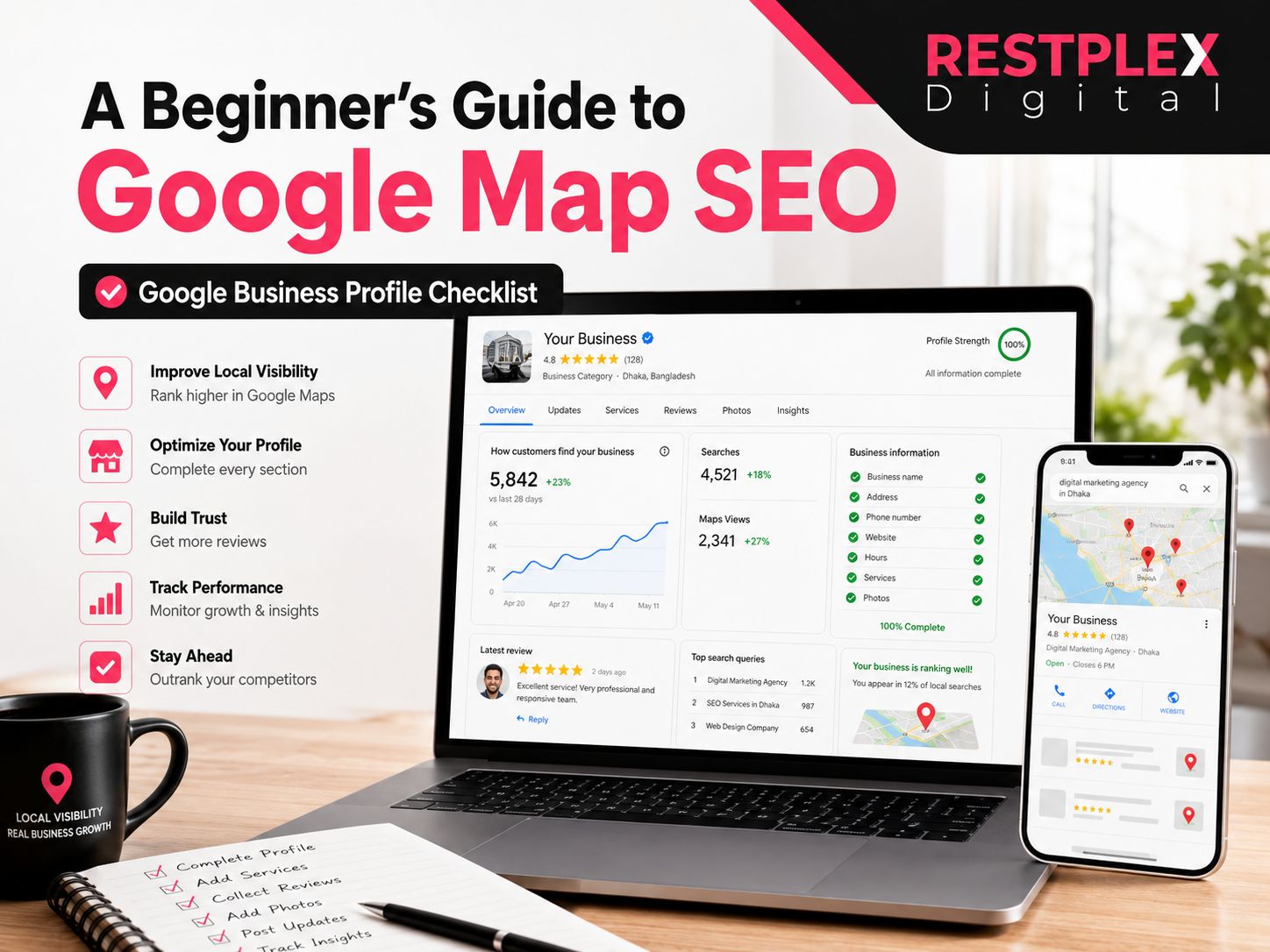
A Beginner's Guide to Google Map SEO: Google Business Profile Checklist
- June 24, 2026
Introduction
Imagine a potential customer searching for a service you provide. They open Google, type a local search query, and see three businesses displayed prominently in Google Maps results. One of those businesses receives the phone call. The others often receive nothing.
That visibility gap is where Google Map SEO becomes important.
For local businesses, appearing in Google Maps and the Local Pack can drive phone calls, website visits, direction requests, and new customers. The good news is that you do not need a massive marketing budget to improve your local visibility. You need a properly optimized Google Business Profile, accurate business information, strong customer reviews, and a website that supports your local presence.
This guide explains how Google Maps rankings work, what factors influence local visibility, and the exact Google Business Profile checklist beginners can use to improve their chances of appearing in local search results.
Quick Answer: What Is Google Map SEO?
Google Map SEO is the process of optimizing your Google Business Profile (GBP), website, reviews, and local business information to improve visibility in Google Maps and the Local Pack (also called the Local 3-Pack). Effective Google Map SEO helps businesses appear more prominently when customers search for nearby products or services.
Google Map SEO Checklist at a Glance
✓ Verify your Google Business Profile
✓ Choose the correct primary category
✓ Complete every profile section
✓ Add services, products, and attributes
✓ Collect and respond to customer reviews
✓ Maintain NAP consistency
✓ Optimize your website for local searches
✓ Implement LocalBusiness schema markup
✓ Keep business information updated
✓ Monitor performance regularly
What Is Google Map SEO?
Google Map SEO refers to the practice of optimizing your online presence so your business can appear more prominently in Google Maps and local search results.
When users search for terms such as:
- plumber near me
- dentist in Dhaka
- emergency HVAC repair
- coffee shop nearby
Google often displays a Local Pack featuring a map and several nearby businesses. The businesses shown are selected based on Google’s understanding of relevance, distance, and prominence.
Google Map SEO focuses on improving the signals that help Google understand:
- What your business offers
- Where your business operates
- Why customers trust your business
Unlike traditional SEO, which primarily focuses on website rankings, Google Map SEO combines Google Business Profile optimization, review management, local citations, website optimization, and business reputation signals.
Why Google Map SEO Matters in 2026
Local search behavior continues to evolve.
Customers now discover businesses through:
- Google Search
- Google Maps
- AI Overviews
- Voice search
- Mobile searches
- AI assistants such as ChatGPT, Gemini, and Perplexity
These platforms rely on trusted business information, customer reviews, structured data, and strong local entity signals.
A well-optimized Google Business Profile does more than improve Maps visibility. It helps search engines and AI systems confidently understand and recommend your business.
As search increasingly moves toward answer engines and AI-powered experiences, maintaining accurate local business information has become more important than ever.
How Google Determines Local Rankings
Google publicly states that local search rankings are primarily based on three factors:
1. Relevance
Relevance measures how closely your business matches a user’s search query.
Google evaluates information such as:
- Business categories
- Services
- Products
- Attributes
- Business description
- Website content
For example, if someone searches for “emergency plumber,” a business categorized specifically as a plumbing service may be considered more relevant than a general home services company.
How to Improve Relevance
- Select the most accurate primary category
- Add relevant secondary categories
- Complete all service listings
- Add detailed business information
- Create website pages for your core services
- Keep your information updated
2. Distance
Distance refers to how close your business is to the searcher or the location included in the search.
For example:
- “Restaurant near me”
- “Digital marketing in Khulna“
- “Electrician in Mirpur”
Google uses the searcher’s location and the business location to determine proximity.
Distance is largely outside your control. You cannot optimize your way into being physically closer to every searcher.
Instead, focus on improving the ranking factors you can influence, such as relevance and prominence.
3. Prominence
Prominence reflects how well-known, trusted, and established your business appears online.
Google considers many signals, including:
- Customer reviews
- Review quality
- Review recency
- Website authority
- Local backlinks
- Brand mentions
- Citations
- Media coverage
- Overall online reputation
Businesses with strong prominence signals often outperform competitors that have weak online visibility.
How to Improve Prominence
- Generate authentic customer reviews consistently
- Respond to reviews professionally
- Earn local backlinks
- Build citations on trusted directories
- Publish helpful content
- Maintain an active online presence
How Google Map SEO Supports AI Search Visibility
Modern search is no longer limited to traditional search results.
AI systems increasingly provide direct recommendations and answers based on trusted business information.
When AI platforms evaluate local businesses, they often rely on signals such as:
- Complete Google Business Profiles
- Consistent business information
- Customer reviews
- Website content
- Structured data
- Local authority signals
Businesses with accurate and well-maintained local profiles are more likely to appear in AI-generated recommendations and summaries.
For this reason, local SEO and Answer Engine Optimization (AEO) now work together rather than separately.
The Complete GMB Checklist for Google Maps Ranking
Work through this checklist section by section. Each item is actionable and addresses a confirmed ranking signal.
Profile Setup
1. Claim and verify your Google Business Profile Go to business.google.com and claim your listing. Verification is typically done by postcard, phone, or email. Your profile is inactive and won’t rank until verified.
2. Choose the most specific primary category This is the single most important relevance signal. “Personal Injury Attorney” outperforms “Lawyer” for personal injury searches. “Emergency Plumber” beats “Plumber” for urgent queries. Be precise, not broad.
3. Add all relevant secondary categories Google allows up to 9 secondary categories. A dental practice should add “Cosmetic Dentist,” “Pediatric Dentist,” and “Emergency Dental Service” if those services apply. Only add categories that genuinely reflect your offerings.
4. Fill out every profile field Business name (match your real-world signage exactly — no keyword stuffing), address, phone number, website URL, business hours, and a detailed 750-character business description. An incomplete profile signals an inactive business to Google.
5. Upload high-quality photos Add photos of your storefront exterior, interior, team, and products or services. Profiles with strong, current photo libraries see higher engagement. Encourage customers to upload their own photos too — Google weights user-generated photos for authenticity.
6. Enable all relevant features Activate messaging, appointment booking, Q&A, and services/products sections. Use Google Posts weekly for updates, offers, or events. Most businesses use less than 40% of what GBP offers — unused sections are missed opportunities.
Reviews
7. Build review volume and maintain recency Reviews carry roughly 20% of local pack ranking weight. Quantity matters, but recency matters more — 60 reviews from the past six months outrank 100 reviews from two years ago. Build a consistent daily habit: send review request messages after every completed job or visit.
8. Aim for 4.2+ stars Encourage specific, detailed reviews that mention your services and location naturally (e.g., “best plumber in Dhaka for emergency drain repairs”). You can’t control what customers write, but you can ask them to describe their experience in detail. Avoid incentivizing reviews — it violates Google’s policies.
9. Respond to every review within 24 hours Reply to positive and negative reviews alike. Businesses that respond to all reviews significantly outperform those that ignore feedback. Keep responses natural — do not keyword-stuff them, but do reference your service and location where it fits organically.
Citations & NAP Consistency
10. Audit your NAP data across the web NAP stands for Name, Address, Phone number. These must be identical everywhere your business appears online — your website, Google Business Profile, Facebook, Yelp, JustDial, and every directory. Even small differences (“St.” vs “Street,” different phone formats) confuse Google and weaken your prominence signals.
11. Build citations on authoritative directories List your business on high-authority directories relevant to your industry and location. General directories like Yelp and Bing Places, plus niche-specific ones, send trust signals to Google. Each citation with accurate NAP data reinforces your local legitimacy. Tools like Moz Local or BrightLocal can help manage this at scale.
12. Never accept unsolicited profile changes Google users can suggest edits to your GMB profile. Always use “View Updates” (not “Accept Changes”) to review any suggested modifications before they go live. Unchecked edits can corrupt your NAP data or miscategorize your business.
Website Signals
13. Embed your NAP on your website Display your exact business name, address, and phone number in the footer of every page. Make sure this matches your GBP data character-for-character.
14. Add LocalBusiness Schema markup Structured data (Schema.org/LocalBusiness) tells Google explicitly what your business name, address, phone number, and hours are. This directly supports your local prominence signals and can improve how your listing appears in search results.
15. Build location and service pages If you claim to offer “emergency HVAC repair” on your GBP, your website should have a page dedicated to emergency HVAC repair. Google connects your profile claims to your website content — thin or generic pages undercut your relevance score.
Ongoing Maintenance
16. Update hours for holidays and special closures Nothing erodes trust faster than a customer driving to your shop only to find it closed on a holiday. Keep business hours current. Businesses marked as “open now” during a search also tend to rank better for that specific query.
17. Post to your GBP weekly Google Posts are short updates (events, offers, news) that keep your profile active and relevant. Think of them as social posts on your business listing. Fresh activity signals to Google that your business is engaged and current.
18. Track performance with GBP Insights GBP’s built-in analytics show profile views, search queries that triggered your listing, and customer actions (calls, direction requests, website clicks). Check these monthly and adjust your strategy based on what’s working. For deeper tracking, tools like BrightLocal and Whitespark surface citation issues, rank changes, and review gaps before they affect your visibility.
Common Beginner Mistakes to Avoid
Keyword-stuffing your business name. Google’s algorithm detects this and may suspend your listing. Your business name should match what’s on your signage and legal documents — nothing more.
Setting up once and walking away. Google Map SEO is not a one-time task. Review velocity, fresh photos, and consistent NAP data require ongoing attention.
Ignoring the website. Many beginners over-optimize their GBP and neglect their website. On-page signals account for roughly 15% of local pack ranking weight. A weak website undermines even a perfectly optimized GBP.
Using broad primary categories. “Restaurant” versus “Thai Restaurant” is the difference between competing for every food search in your city and showing up for the queries your customers actually use.
Learn More About Common SEO Mistakes
Conclusion
Google Map SEO comes down to one idea: make it as easy as possible for Google to understand who you are, where you are, and why customers trust you.
Work through this GMB checklist methodically, start with profile completion and category selection, build your review volume, clean up your citations, and keep the profile active. Momentum compounds over weeks. Businesses that treat local SEO as an ongoing habit consistently outrank those that treat it as a one-time setup.
Start with item #1. The rest follows.
Frequently Asked Questions (FAQs)
Most businesses see initial improvements within 2–4 weeks after optimizing their GBP. Meaningful position changes typically take 1–3 months. Competitive markets may require 3–6 months of consistent work across reviews, citations, and on-page SEO.
A website is not strictly required, but having one significantly improves your relevance and prominence signals. Businesses without a website are at a notable disadvantage in competitive local markets.
Yes. If you serve customers at their location (plumbers, cleaners, tutors), you can hide your address on GBP and define a service area instead. Google will rank you within the geographic area you set.
Share
Article by

Mehedi Hasan Juwel
Digital Marketing Strategist